ShotGun Keyboard
Add keyboard sounds to your desktop on macOS or Windows.
macOS 1.0 · Windows 1.0.2 · All releases
Try it before you download.
Try the sounds from the actual app.
Browser sample only · plays on interaction · no text is stored.macOS setup
- 1
Open the disk image
Drag ShotGun Keyboard into your Applications folder.
- 2
Check first-launch permissions
First-launch requirements vary by macOS version. Review the release instructions and your system’s Privacy & Security settings.
- 3
Allow Accessibility
The app cannot hear key presses without it. Its setup page links straight there.
Windows setup
Download the Windows installer from the release linked above. Review its release notes and publisher information before installation. The installer includes its .NET runtime.
It stays out of your way
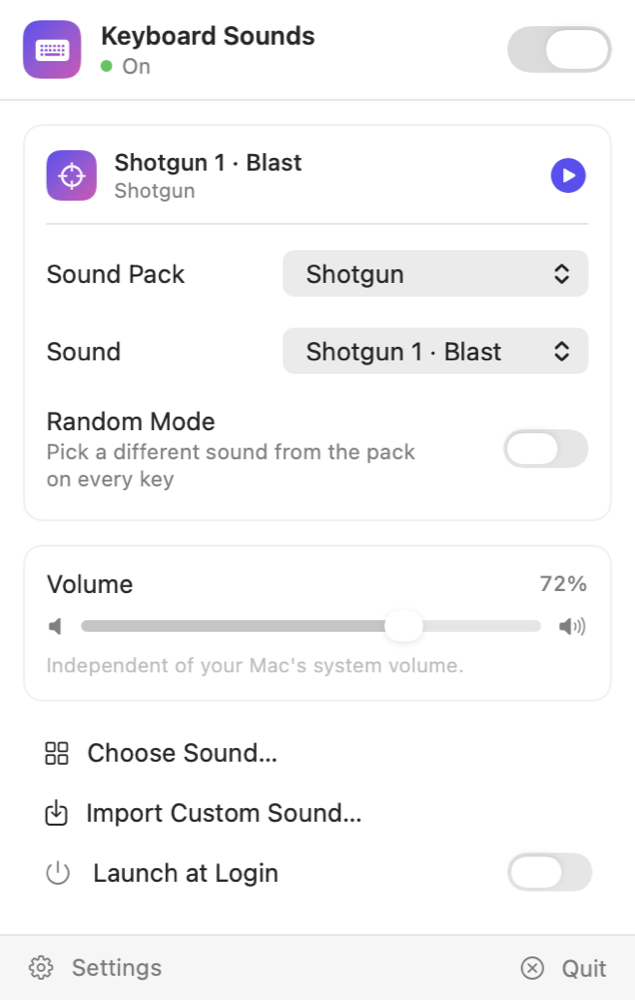
The macOS menu bar panel gives you the master switch, sound pack, random mode and volume. Pause sound playback when you want a quieter desktop.
- Keyboard sound playback across desktop apps
- Passive event monitoring for sound playback
- Optional launch at login; remembers your settings
Inside the macOS app
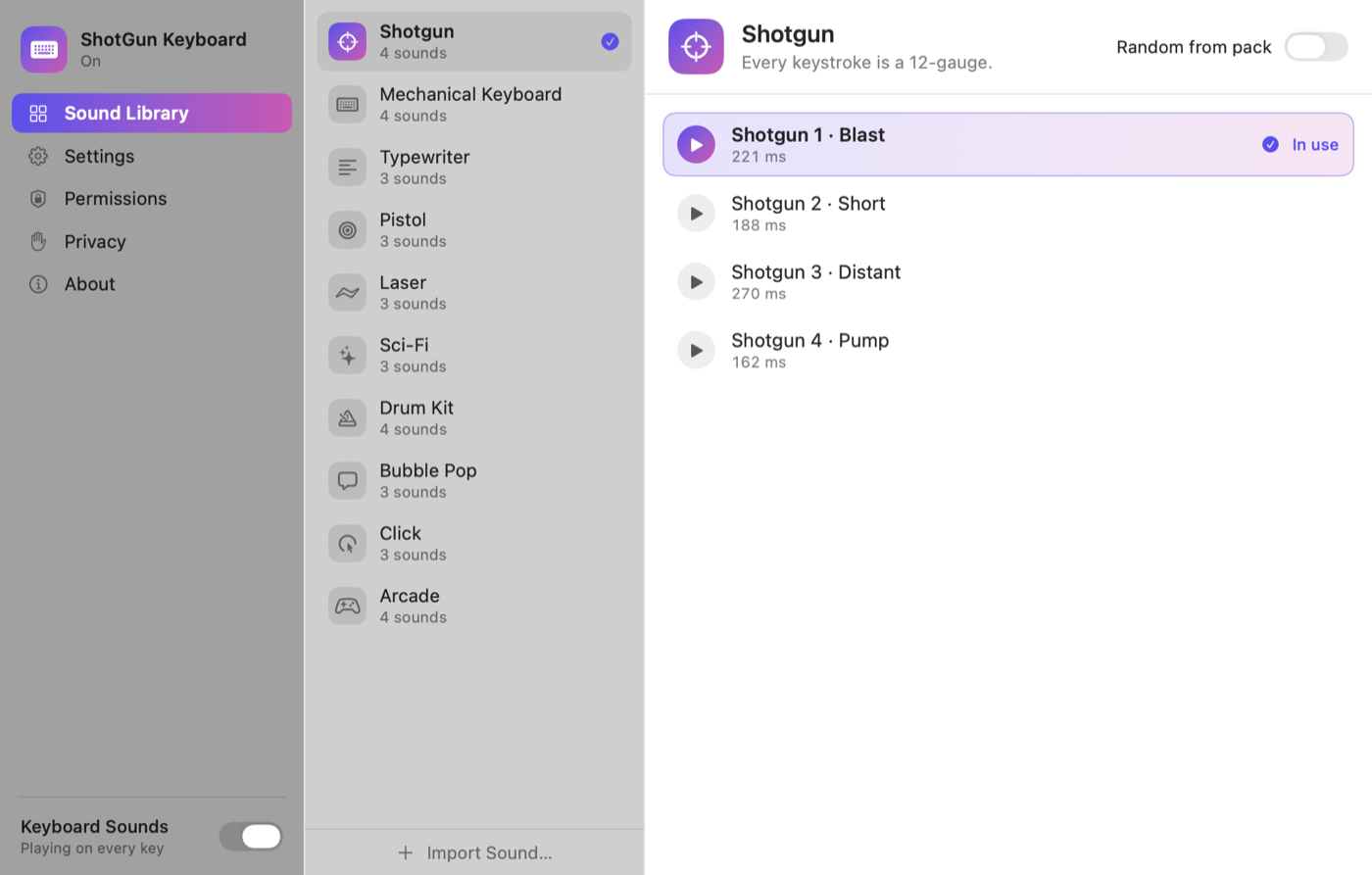
34 sounds, 10 packs
Shotgun, mechanical switches, typewriter, pistol, laser, sci-fi, drums, bubble pop, click and arcade.
Random mode
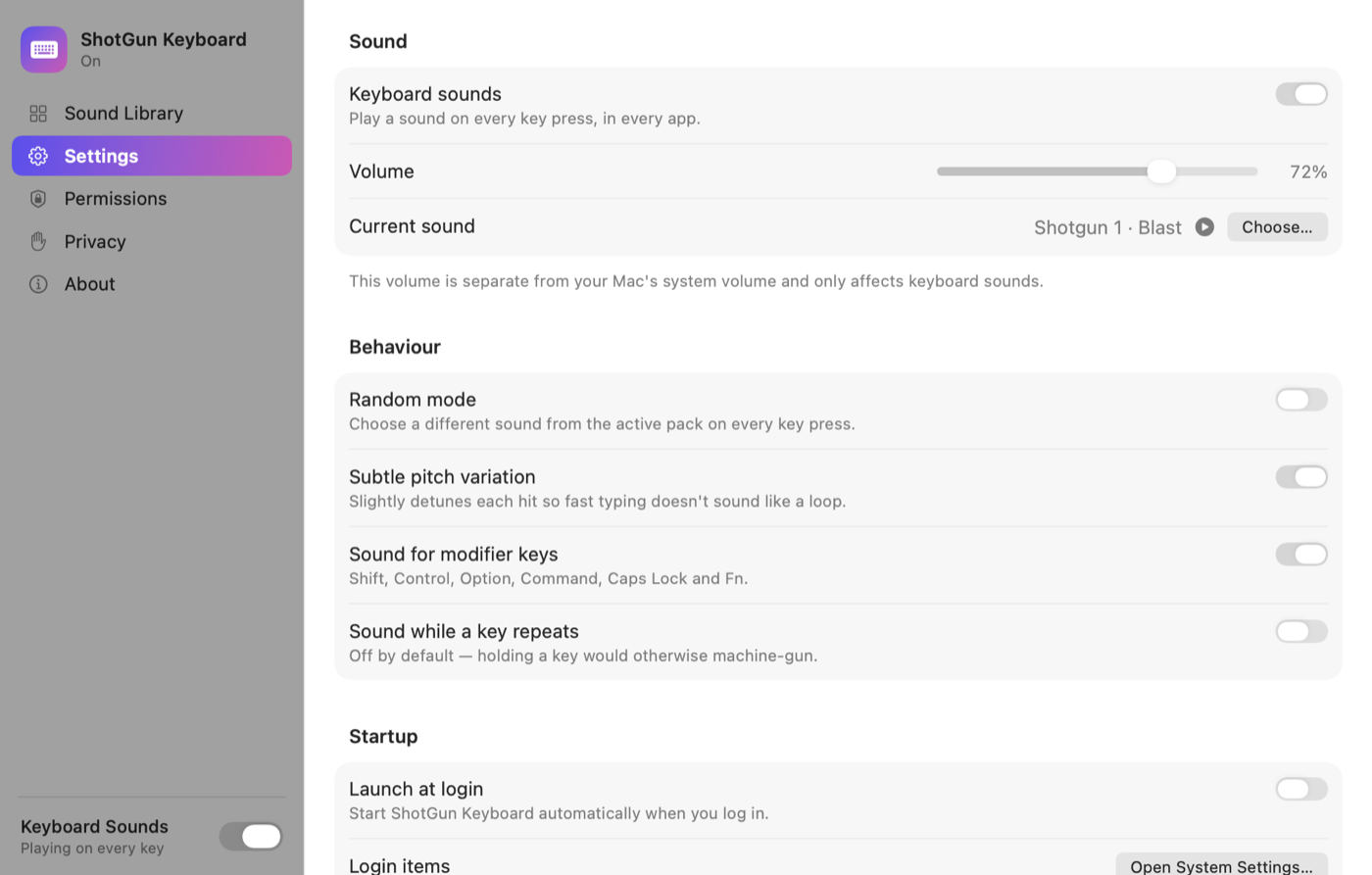
Draws a different sound from the active pack on every key press, so fast typing never sounds looped.
Your own sounds
Import WAV, AIFF, MP3, M4A, CAF or FLAC. Each import is level-matched to the built-ins automatically.
Overlapping playback
A 16-voice audio engine with preloaded buffers. Sounds overlap during fast typing instead of cutting out.
Independent volume
Keyboard sounds have their own level. Your system volume is never touched.
Across your desktop
The macOS build observes keyboard events for sound playback. Operating-system permissions and protected input can affect availability.
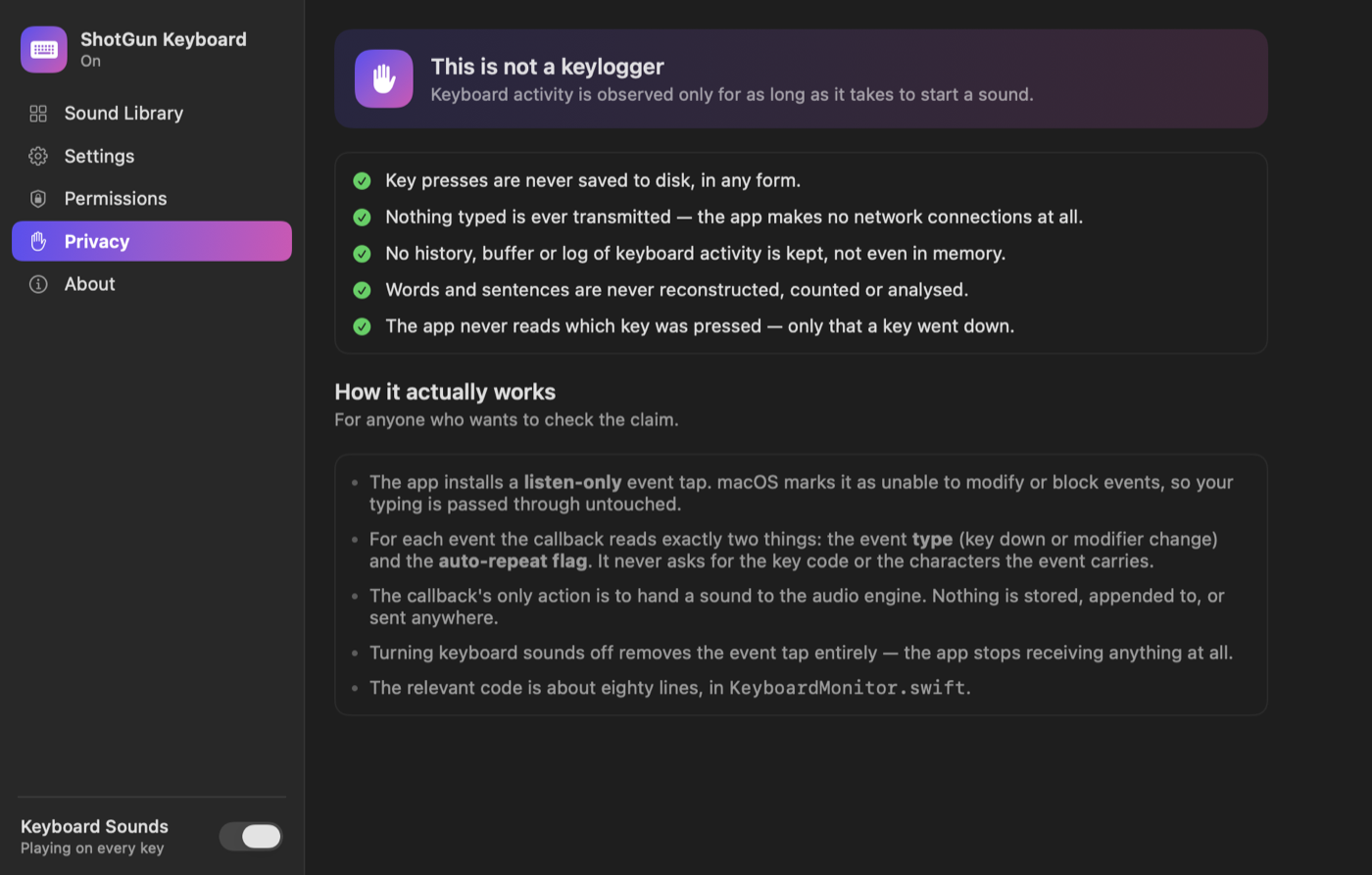
This is not a keylogger
The macOS monitor checks event type, repeat status and modifier flags without reading characters or key codes. The Windows hook reads virtual-key codes to track held keys and modifier settings, but does not keep a typing history. Both implementations pass events to the operating system. Settings and imported audio are saved locally.
The macOS interface
Specifications
- macOS
- macOS 13 Ventura or later · Apple silicon and Intel
- Windows
- Windows 10 (1607) or later · x64
- Downloads
- DMG for Mac · installer for Windows
- Licence
- MIT — free and open source
Try it on your next paragraph
Free and open source. Choose the release for your operating system.