Case 05 / Image processing & mapping
Overlapping imagery to a stitched mosaic
Align overlapping images into a larger composite using feature matching, geometric registration, warping and blending.
Original overlapping images · saved mosaicHow can overlapping imagery be aligned into a useful composite while controlling seams, distortion and exposure differences?
I developed Python/OpenCV image-stitching tools and brought the workflow into StitchLab. This example shows the overlapping source imagery and saved mosaic, with an explanation of how registration and blending connect the inputs to the composite.
Method and workflow
- 01
Select overlap
Choose images with shared content, enough detail and manageable exposure changes.
- 02
Register the images
Match visual features and estimate geometric transforms, rejecting inconsistent correspondences.
- 03
Warp and blend
Align images in a common canvas, compensate exposure and choose seams before blending.
- 04
Inspect the composite
Look for repeated structures, misalignment, ghosting and distorted boundaries.
Build the bigger picture.
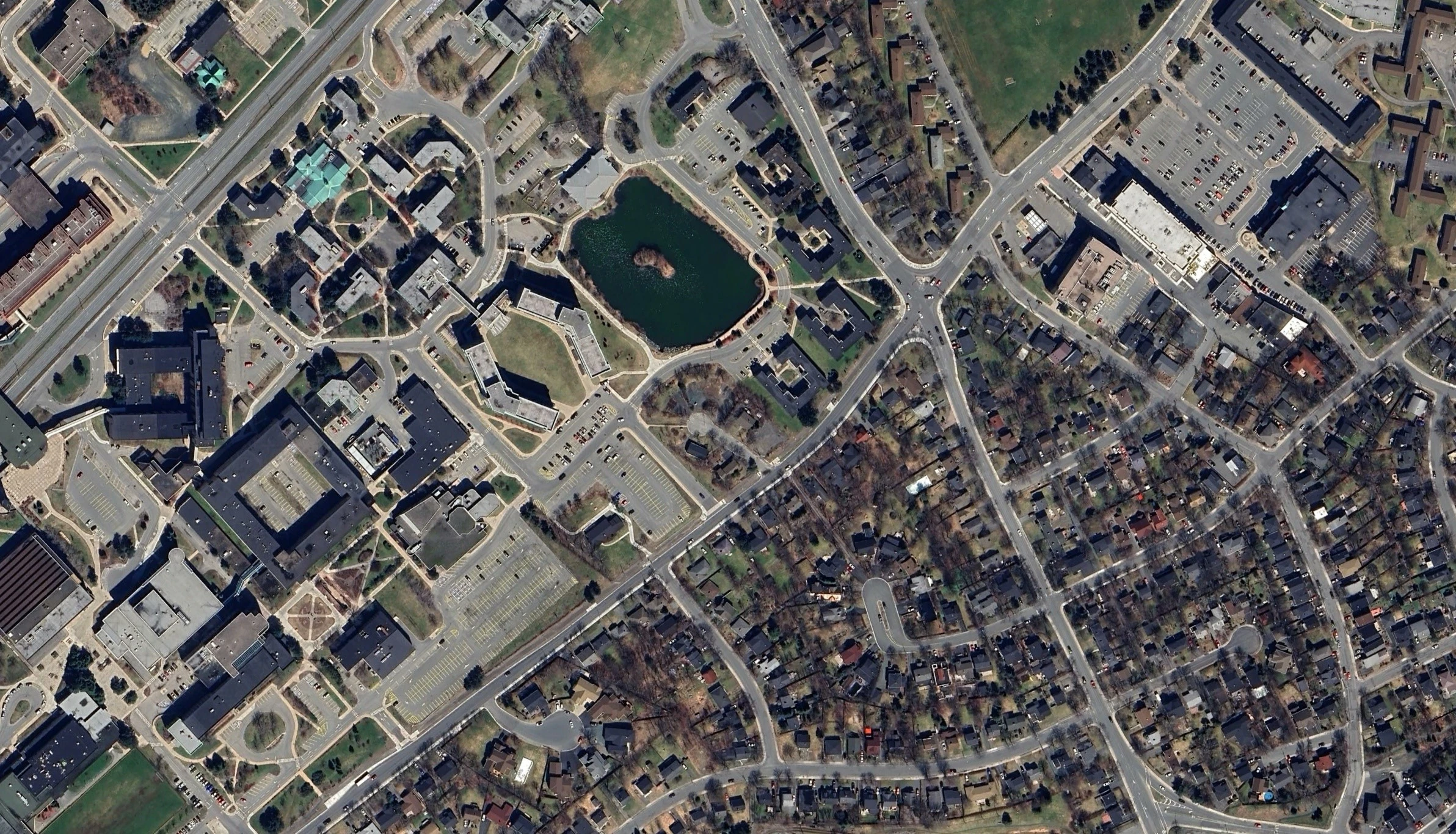
Six archived image tiles provide overlapping content. Browse the inputs to see the repeated landmarks used for registration.
Model assumptions and scope
- The output is an image-space composite. Georeferencing, terrain correction and survey-accuracy assessment are separate processing stages.
- The workflow covers registration, warping and blending; intermediate matching and reprojection-error diagnostics are not included.
Potential extensions
Add inlier/reprojection diagnostics and calibrate lens distortion before expanding to difficult underwater footage.
Let’s work through it.
Robotics, simulation and control consultation across Canada, with remote support available internationally. Share your system and the result you need.